Google Business Profile
Small Business Saturday 2026: Your Google Business Profile Checklist
By Angela Wauthier, Kermit Lowry & Jeff Donahue · hav0k Marketing · · 7 min read
Quick answer: Small Business Saturday 2026 is November 28. Before then, update your Google Business Profile: set special hours for Thanksgiving week, add pickup or delivery hours, publish an Offer post, refresh your photos, and ask recent customers for reviews. Then copy the same hours to Apple Maps, Bing, Yelp, Facebook, and your website.
Shoppers check Google before they leave the house, and holiday hours are where most local listings go wrong. One wrong "Open" label on Thanksgiving Day costs you a customer and invites a bad review. This Small Business Saturday Google Business Profile checklist takes about an hour, and you have a week to do it.
Why Small Business Saturday Matters for Local Shops
Small Business Saturday was founded by American Express in 2010 and falls on the Saturday after Thanksgiving (American Express). In 2026, that's Saturday, November 28.
The stakes are real:
- Small business owners surveyed by American Express expect nearly 20% of their annual revenue to come from Small Business Saturday sales (U.S. SBA).
- Shoppers reported spending an estimated $22 billion at independent businesses on Small Business Saturday in 2024. That figure is based on what consumers said they spent, not actual sales data (U.S. SBA).
And shoppers are looking in more places than ever. In BrightLocal's 2026 survey, Apple Maps usage for checking local businesses nearly doubled to 27%, and 45% of consumers used AI tools like ChatGPT for local recommendations (BrightLocal). Your Google Business Profile is the starting point, but it can't be the only place your hours are right.
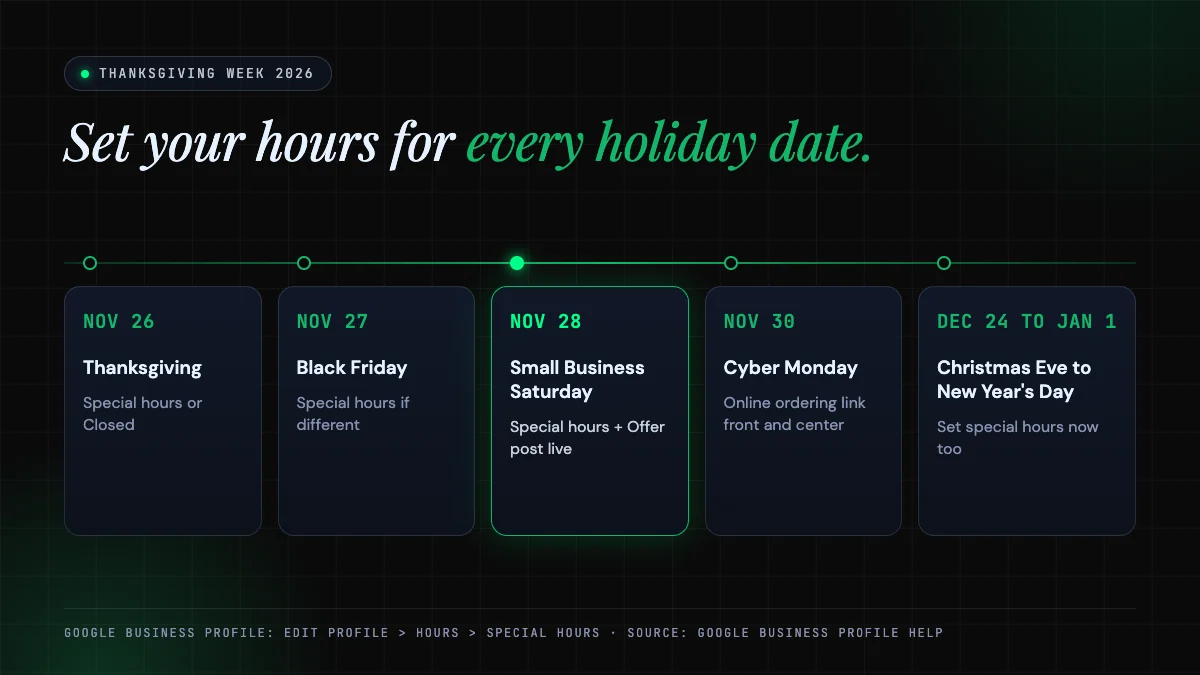
Key Holiday Dates for Your Profile
| Date | Day | What to set |
|---|---|---|
| Nov 26 | Thanksgiving | Special hours (or Closed) |
| Nov 27 | Black Friday | Special hours if different |
| Nov 28 | Small Business Saturday | Special hours, Offer post live |
| Nov 30 | Cyber Monday | Special hours if different; online ordering link front and center |
| Dec 24, 25, 31, Jan 1 | Christmas Eve to New Year's Day | Special hours (set these now too) |
Google recommends confirming your hours for official holidays even when they match your regular hours. Confirmed hours tell shoppers your listing is accurate (Google Business Profile Help).
The Small Business Saturday Google Business Profile Checklist
1. Set special hours for every holiday date
This is the most important item on the list. In your Business Profile, go to Edit profile, then Hours, then the edit icon next to Special hours. Google will suggest holiday dates you can confirm, or you can add custom dates.
A few rules from Google's help page that trip people up:
- Your regular hours must be set to "Open with main hours" or special hours won't show.
- Special hours cover up to 6 days in a row. For a closure of 7 days or more, use "Temporarily closed" instead.
- Late nights need two entries. One set of hours can't pass midnight. If you're open 8 PM to 2 AM on Black Friday, enter 8 PM to midnight on Friday and midnight to 2 AM on Saturday, then re-enter Saturday's regular hours.
- Split days are allowed. If you close midday, add a second opening period for the same date.
2. Add pickup and delivery hours
If you offer in-store pickup, curbside, or delivery, set those under More hours. Google lets you add separate hours for services like pickup, delivery, takeout, and drive-through. These won't display until your regular hours are set (Google Business Profile Help).
This matters on Cyber Monday and during the December rush, when shoppers want to buy online and grab it on the way home. If you take online orders, put that link on your profile so it's one tap from Google Maps. hav0k's online ordering with in-store pickup syncs with Lifelong POS, so online orders land right at your register.
3. Publish an Offer post for the weekend
Google Business Profile posts show on Search and Maps. An Offer post requires a title plus start and end dates and times, and it automatically adds a "View offer" button. You can also add a photo, coupon code, link, and terms (Google Business Profile Help).
Tips for a strong Small Business Saturday offer:
- Lead with the deal in the title. "20% Off All Gift Sets Saturday Only" beats "Holiday Sale."
- Set the date range to cover Black Friday through Cyber Monday so it doesn't expire early.
- Keep it to one or two active offers. BrightLocal recommends one or two at a time so each gets attention (BrightLocal).
- An offer doesn't have to be a discount. A free gift with purchase, free gift wrapping, or an in-store event all work.
Posts older than six months get archived unless you set a date range, so dated offers also keep your profile clean.
4. Post an Event if you're hosting one
Doing a sip-and-shop, a product launch, a vendor pop-up, or extended late-night hours? Create an Event post with the date, time, and a photo. Link it to a page on your website about the event so shoppers and search engines get the full details.
5. Refresh your photos
Add five to ten new photos the week before: your storefront with holiday decorations, gift displays, best-sellers, and your team. Shoppers comparing two stores on Google Maps will pick the one that looks open, stocked, and current. Make sure your exterior photo matches what people will see when they pull up.
6. Update products and your business description
If Google offers a Products section for your category, add your top gift items with prices and photos. Then reread your business description and make sure it reflects what you sell now. If you added a new product line this year, this is the time to say so.
7. Ask for reviews now, and answer every one
Reviews posted in the last few weeks carry the most weight with shoppers. In BrightLocal's 2026 survey, 74% of consumers only care about reviews from the last three months, and 32% look for reviews from the last two weeks (BrightLocal).
- Ask every customer this week. A text after purchase or a QR code at the register works.
- Reply quickly. 89% of consumers expect owners to respond to reviews, and 32% expect a reply by the next day.
- Skip templated replies. Half of consumers are put off by generic responses. Mention what they bought or said.
- Don't trade discounts for reviews. It's tempting during a holiday promo, but Google removes incentivized reviews, and you can't ask only happy customers either (Google Maps content policy).
8. Copy your hours everywhere else
Your holiday hours need to match across every place shoppers and AI tools look. Update the same special hours on:
- Apple Business Connect (Apple Maps)
- Bing Places
- Yelp and Facebook
- Your website header, footer, and contact page
AI tools like ChatGPT pull business details from many sources, and conflicting hours are one of the most common errors. For the full picture, read our guide on how to get your business recommended by ChatGPT.
9. Check your profile from a customer's phone
On Thanksgiving week, search your business name on Google Maps from your phone (signed out, or from a friend's phone). Confirm the hours say what you expect for each date, your offer shows up, and the phone number rings the store. It takes two minutes and catches mistakes before customers do.
A Note on Payments for the Weekend
American Express runs a Shop Small Map to help shoppers find participating businesses. To appear on it, a business has to accept American Express and meet other eligibility requirements (NBC News). If you're reviewing how you take payments before the holidays, our sister company Lifelong Merchant Services can help with dual pricing, which shows customers a cash price and a card price at the register.
Frequently Asked Questions
When is Small Business Saturday 2026?
Small Business Saturday 2026 is Saturday, November 28. It always falls on the Saturday after Thanksgiving, between Black Friday and Cyber Monday. American Express founded the day in 2010 to encourage shopping at independent businesses.
How do I set holiday hours on my Google Business Profile?
Open your Business Profile, select Edit profile, then Hours, then the edit icon next to Special hours. Confirm a suggested holiday date or add a custom one, enter your hours or mark the day Closed, and save. Your regular hours must already be set for special hours to show.
Should I confirm holiday hours if they match my regular hours?
Yes. Google recommends confirming your hours for official holidays even when nothing changes. It tells shoppers your listing is accurate, so they don't have to guess whether you're open on Black Friday or Small Business Saturday.
Can I offer a discount in exchange for Google reviews during the holidays?
No. Google's policy prohibits offering discounts, free items, or other incentives for posting, changing, or removing a review, and those reviews can be removed. You can and should ask every customer for an honest review, as long as you ask everyone and offer nothing in return.
How long does a Google Business Profile Offer post stay up?
An Offer post runs for the start and end dates you set, and it shows a "View offer" button automatically. Posts without a date range are archived after six months. For Small Business Saturday, set your offer to run from Black Friday through Cyber Monday.
What if I'm closed for more than a week over the holidays?
Special hours only cover up to six days in a row. If you're closing for seven days or more, Google recommends marking your business as "Temporarily closed" instead, then reopening it on your return date.
Keep Reading
- How to get your local business recommended by ChatGPT: why accurate hours and fresh reviews decide who AI recommends.
- How to connect Google Analytics (GA4): measure holiday traffic from Google and AI tools.
- All hav0k Wire posts
Sources
- American Express, Shop Small and Small Business Saturday
- U.S. Small Business Administration, SBA Encourages Americans to Shop Small on Small Business Saturday (November 25, 2025)
- Google Business Profile Help, How to set Special hours
- Google Business Profile Help, How to set More hours
- Google Business Profile Help, Create a post for your Business Profile
- Google, Maps user-generated content policy
- BrightLocal, Local Consumer Review Survey 2026 (February 11, 2026)
- BrightLocal, Google Posts: How to Create Better Google Business Profile Updates
- NBC News, Small Business Saturday: How to shop and support
About the Authors
Angela Wauthier, Co-Founder & CMO. Angela leads marketing at hav0k, where the team builds websites, local SEO, and online ordering for independent businesses. She writes about Google Maps rankings, AI search visibility, and practical marketing for local shops.
Kermit Lowry, Co-Founder & CEO. Kermit is also the founder and CEO of Lifelong Merchant Services, which he started in 2021 after 8 years in point-of-sale and payments. He's a University of Georgia MIS graduate and works with hundreds of independent merchants, many in high-risk retail.
Jeff Donahue, Co-Founder & CTO. Jeff leads technology at hav0k and Lifelong, building the websites, hosting, online ordering, and the merchant onboarding portal behind both.
Want This Done for You Every Holiday?
hav0k manages your Google Business Profile, holiday hours, posts, and listings so you can focus on the busiest weeks of the year. See our services and plans, or book a free strategy call and we'll run a free local presence audit on your business.